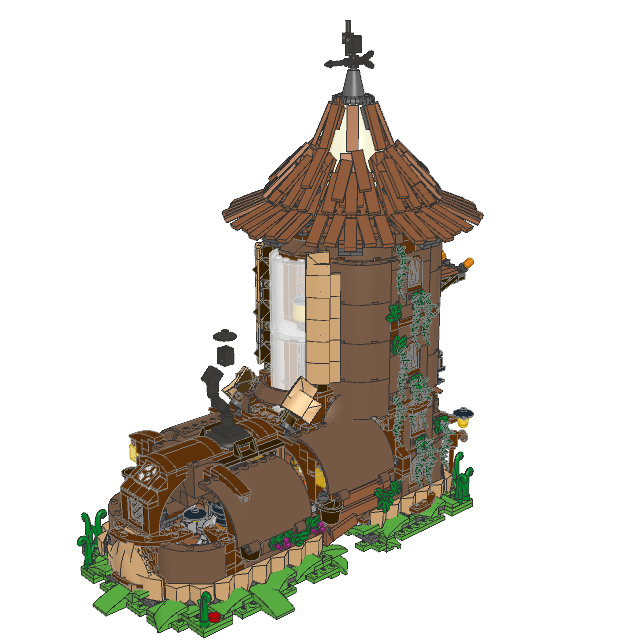
I have a build that I created in LDD which I want to open with Studio to get
some nice renders. However when I try to open the file with Studio it comes up
as empty. As in there's no model whatsoever.
I've been told that flexible parts (like hoses) are not compatible and my
build does contain a few of those pieces. However I've lost access to LDD
so I cannot open the file anymore to remove them.
First, the dedicated forum for Studio and PartDesigner is https://forum.bricklink.com/
(hover over the red Studio icon on every page, then click “Studio Forum”).
I have a build that I created in LDD which I want to open with Studio to get
some nice renders. However when I try to open the file with Studio it comes up
as empty. As in there's no model whatsoever.
I've been told that flexible parts (like hoses) are not compatible and my
build does contain a few of those pieces. However I've lost access to LDD
so I cannot open the file anymore to remove them.
That LXF file is not from the public LDD (v4.3.11/12).
It’s using version 8.1.0 of the LXFML format, not version 5.0.
There’s slight differences that make converters fail.
I was able to tweak my lxf2ldr converter¹ to get an LDraw file (pic) BUT remember
that the public LDD was abandonned several years ago.
That means:
— There’s a lot of new parts that weren’t in it and for which we don’t know the
geometrical transformations (= entries in ldraw.xml).
(I don’t have access to LDD Pro, so I’ve no way to devise these transformations.)
— There’s parts that are not in LDraw (or Studio) yet. (They’ll appear as “Null
Brick” in Studio.)
If you think you can work with that, I’ll publish the tweaks (and port them to
the ECMAScript version²).
Thank you for taking a look at my file. To be honest I don't know what most
of this means, but that's alright. I'll just accept that Studio cannot
import this LDD file and move on.
Again, thank you for your time and effort looking into this
In Related Software, SylvainLS writes:
In Related Software, NicoFrank writes:
Hello. I'm a new member to the Bricklink forum
Hi and welcome
First, the dedicated forum for Studio and PartDesigner is https://forum.bricklink.com/
(hover over the red Studio icon on every page, then click “Studio Forum”).
I have a build that I created in LDD which I want to open with Studio to get
some nice renders. However when I try to open the file with Studio it comes up
as empty. As in there's no model whatsoever.
I've been told that flexible parts (like hoses) are not compatible and my
build does contain a few of those pieces. However I've lost access to LDD
so I cannot open the file anymore to remove them.
That LXF file is not from the public LDD (v4.3.11/12).
It’s using version 8.1.0 of the LXFML format, not version 5.0.
There’s slight differences that make converters fail.
I was able to tweak my lxf2ldr converter¹ to get an LDraw file (pic) BUT remember
that the public LDD was abandonned several years ago.
That means:
— There’s a lot of new parts that weren’t in it and for which we don’t know the
geometrical transformations (= entries in ldraw.xml).
(I don’t have access to LDD Pro, so I’ve no way to devise these transformations.)
— There’s parts that are not in LDraw (or Studio) yet. (They’ll appear as “Null
Brick” in Studio.)
If you think you can work with that, I’ll publish the tweaks (and port them to
the ECMAScript version²).
Thank you for taking a look at my file. To be honest I don't know what most
of this means, but that's alright. I'll just accept that Studio cannot
import this LDD file and move on.
Again, thank you for your time and effort looking into this
Hi,
The devs are actually planning on supporting LDD 8.0 (message from yesterday
).
In the meantime, you can use my converters: they can convert your file into an
LDraw file that can then be imported by Studio.
Some parts will be wrong (either misplaced or NullBricks), but it may be easier
than re-building from scratch.
The simplest is https://gitlab.com/sylvainls/lxf2ldr.html It works on any browser/machine.
Just copy the files somewhere on your machine and open the html one in your browser
and follow the instructions.


 Poland, w. Mazowieckie


 France, Nouvelle-Aquitaine